| Support Category: LMS Navigation |
Some training requires a manager’s approval to either move to completion or be assigned to the user. They usually receive a request via email notifying them that a request to approve training was received. The steps below walk the manager/supervisor through the process of approving said training.
You can approve training through your CAPS LMS inbox. To locate the CAPS LMS inbox, kindly do the following:
1. Log into your CAPS LMS account.
2. Hover your mouse over Home and select Inbox from the drop-down.
3. On the following page, kindly scroll down until you see the Inbox widget to the right.
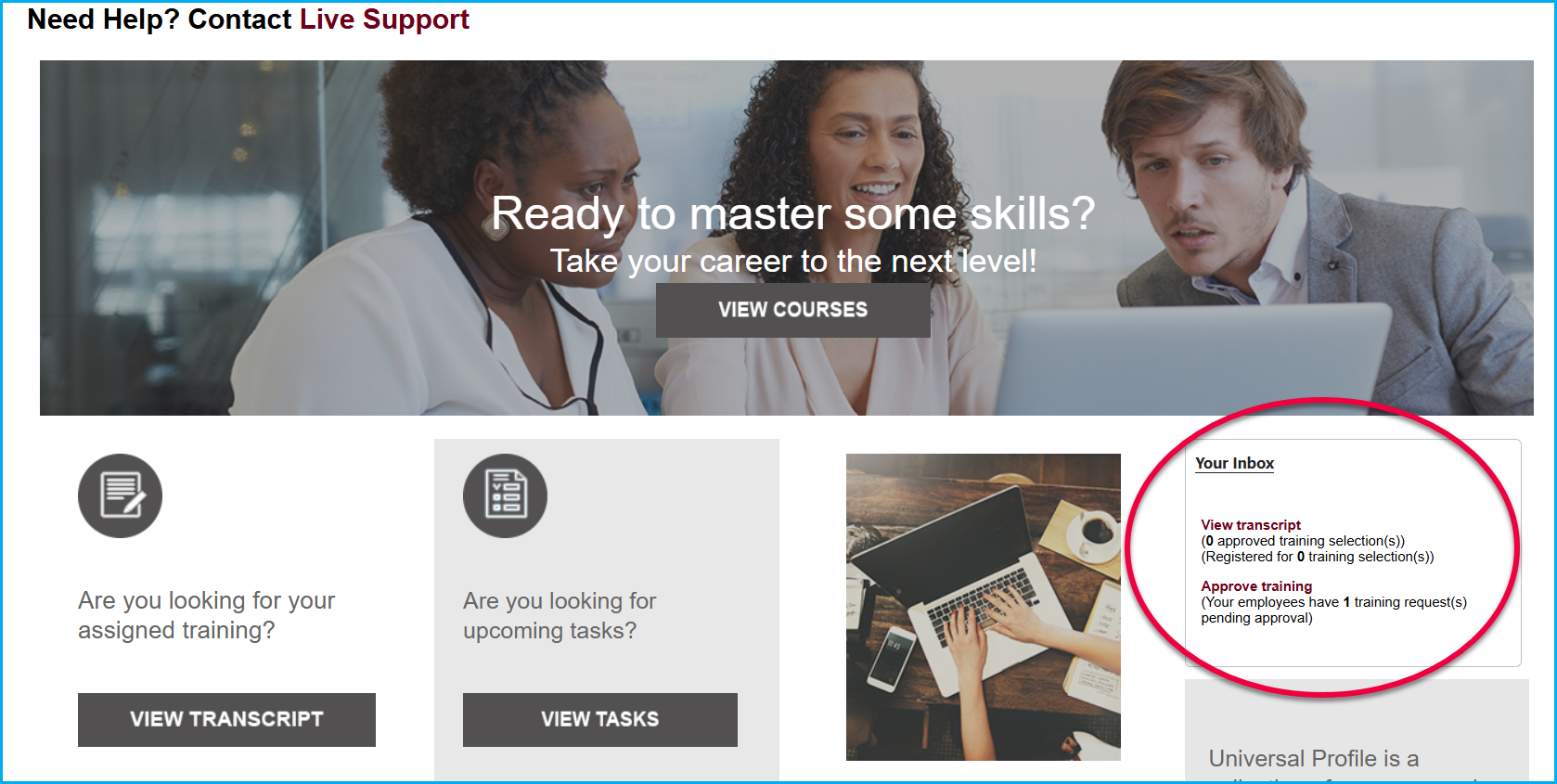
4. Click on the red Approve Training link and you will be taken to a page where you can approve training requests.
Should you still have issues with approving training after following these steps, please let us know.