| Support Category: Course Progress Issue |
| Specialist Notes: |
Users may refer to this slide as Slide 11. If the user states they are stuck, it is likely because they did not let the video play all the way through before clicking on one of the boxes. Kindly provide the following SR after ensuring the user is using the appropriate settings.
| Standard Response: |
In order to progress past the CAPM Safety Model slide, kindly do the following:
1. Click on the black box with the slide title "CAPM Safety Model"
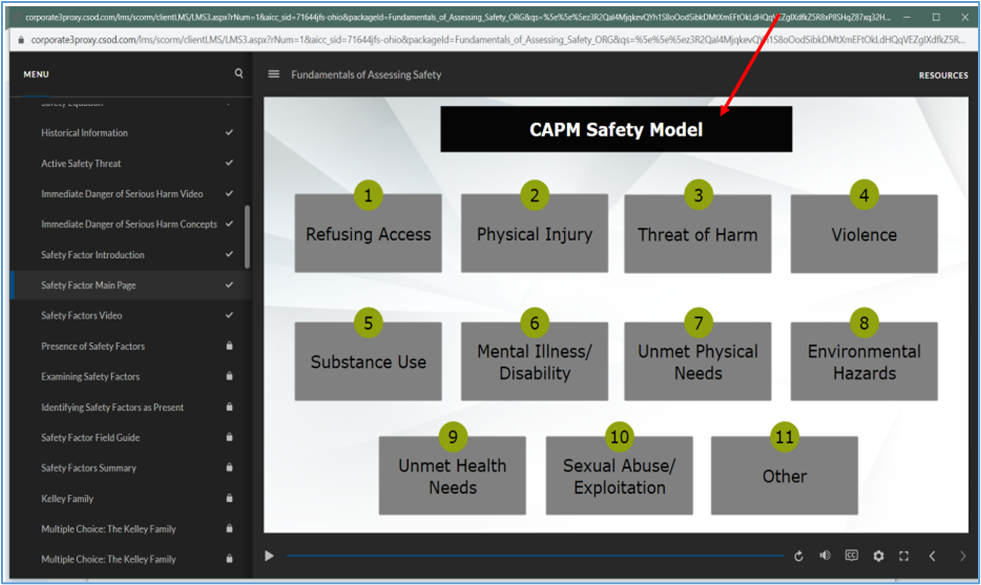
2. After you have done this, click on one of the other 11 boxes on the slide.
3. Let the information in the entire slide play through. After which, the 'Next' button should activate.
Should you continue to have issues, please let us know.