| Support Category: Course Progress Issue |
| Specialist Notes: |
A few people have gotten stuck on this slide due to clicking the closed book on the layer underneath too soon before that layer has finished playing. Unfortunately, once the book has been clicked and the open book layer appears we have not found a way to rectify this issue besides restarting the course and making sure to let the first layer play all the way through before clicking anything else. This slide is very early in the course and generally takes 15 minutes or less to get back to.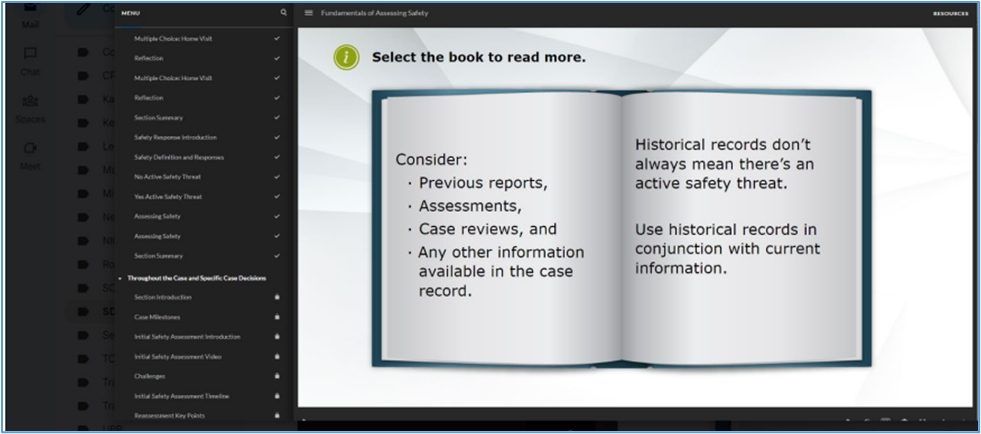
| Standard Response: |
We sincerely apologize for the issues you are experiencing with your training. This issue occurs when the closed book is clicked too soon before the audio is finished playing. Unfortunately, the only way to rectify your issue is to restart the training from the beginning, but it should only take a few minutes to return where you left off.
When relaunching the training kindly click "Restart" below the "Resume" button.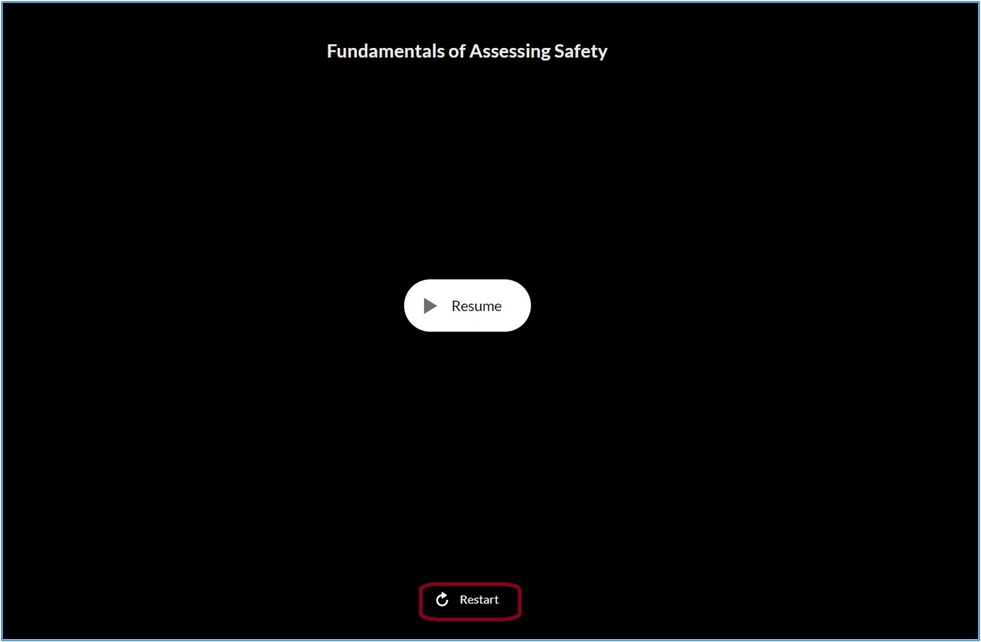
Navigate through the training as usual. When you reach the Historical Information Slide, ensure that you let all audio play through before clicking the book. Additional audio will play, and the Next button should activate upon completion.
Should you continue to experience issues, please let us know.