Outside the House
Print
Created by: Ola Alsheshan
Modified on: Thu, 10 Sep, 2026 at 4:10 AM
| Support Category: Course Progress Issue |
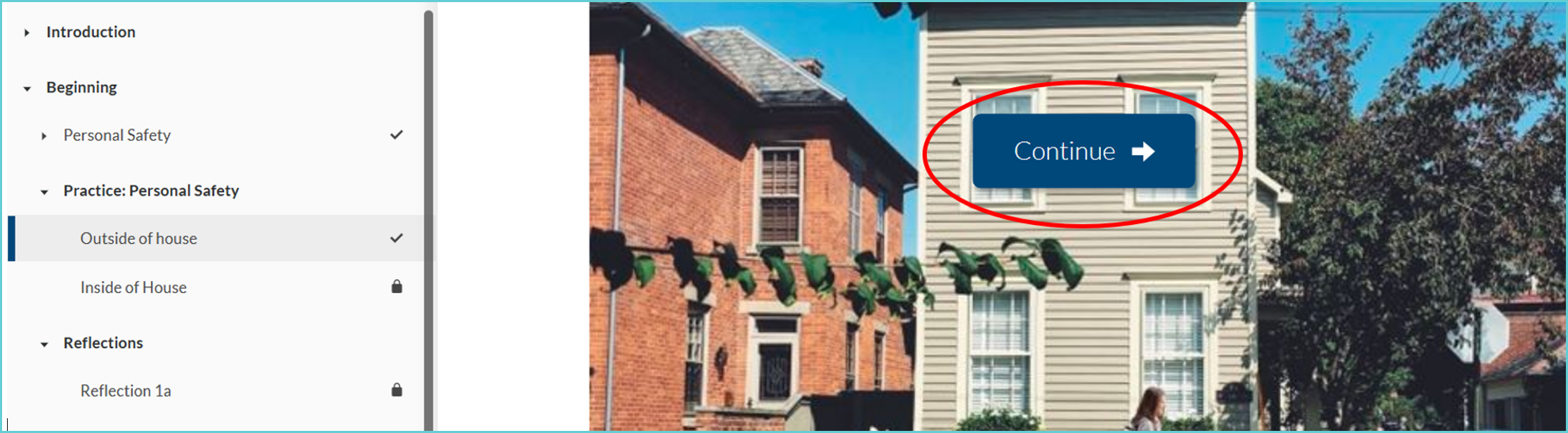
When taking the Conducting Home Visits course, users may encounter an issue where the Continue button does not appear. This tends to happen when users complete the slide and exit the training prior to moving to the next slide. The quickest work around for this slide is to have the user restart the training. As the Outside the House section is only a few minutes into the course, it is recommended user restart the training to resolve the issue.
We sincerely apologize for the issues you are having with progressing through your training. It appears the Continue button to move to the next slide disappears after closing and relaunching the course.
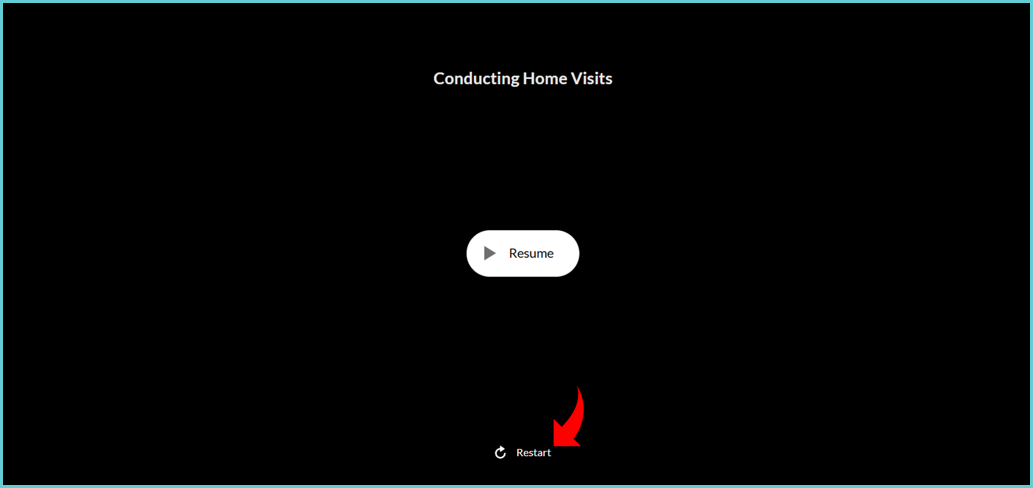
The quickest workaround to this is to restart the training. To do so, launch the training and select Restart - see below.
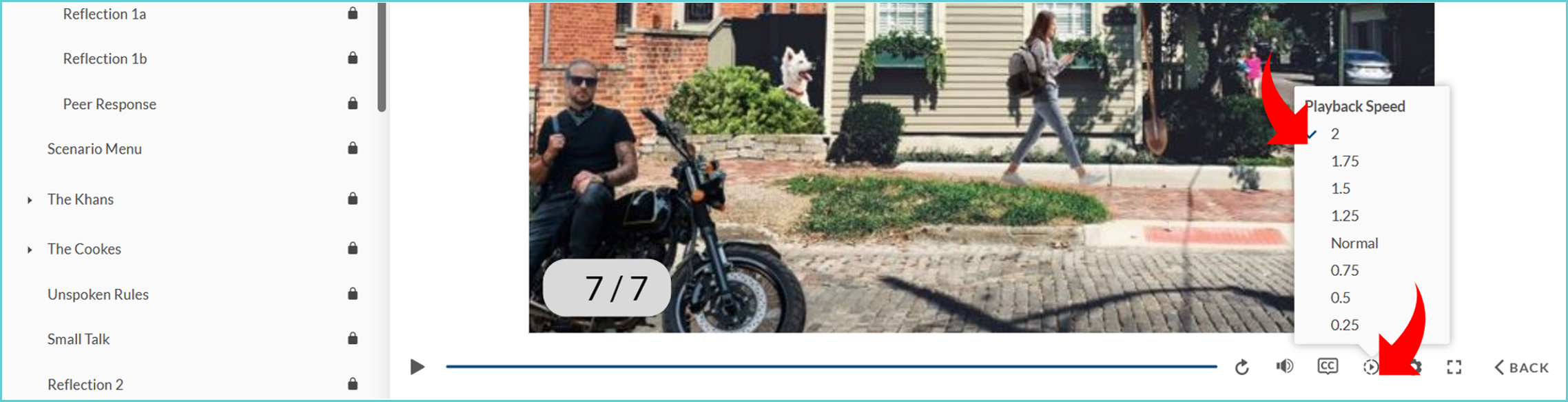
It will set you back to the beginning, however you can set the Playback Speed to (2) for the audio/video to move quicker until you're back where you left off. It should only take a few minutes to reach where you left off. If you have any questions, please let us know.
Ola is the author of this solution article.
Did you find it helpful?
Yes
No
Send feedback Sorry we couldn't be helpful. Help us improve this article with your feedback.