| Support Category: LMS Navigation |
| Specialist Notes: |
When a supervisor/manager has questions about how to view their subordinates training/transcript, kindly provide them with the below SR.
| Standard Response: |
To view your subordinate’s assigned training/transcript, kindly follow the below directions:
1. Log into your CAPS LMS Account.
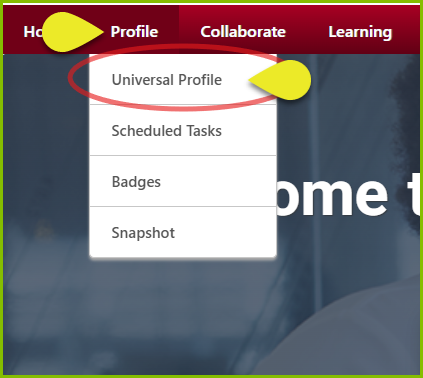
2. Hover over "Profile" on the top banner and select Universal Profile.
3. On the following page, scroll down to the Team section and click the name of the employee you wish to view.
4. On the next page, hover over "Transcript" and select "Transcript" from the drop-down menu.

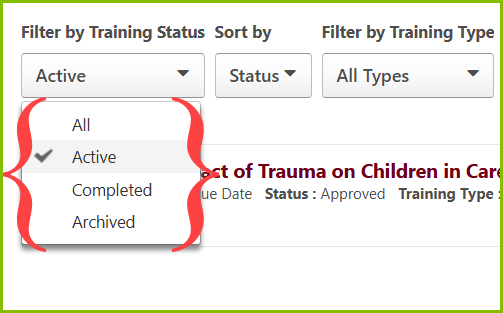
From here, you can view your employee’s current and completed training. To switch between active, completed, and archived courses, you can click the button below Filter by Training Status.