| Support Category: LMS Navigation |
| Specialist Notes: |
Should a trainer request a general guide for new trainers, kindly provide them with the following SR.
IMPORTANT! To access the guide, the users will need to enter a password: 4Trainers! |
| Standard Response: |
The OCWTP Trainer Orientation Guide has several lessons and videos meant to walk new trainers through CAPS LMS.
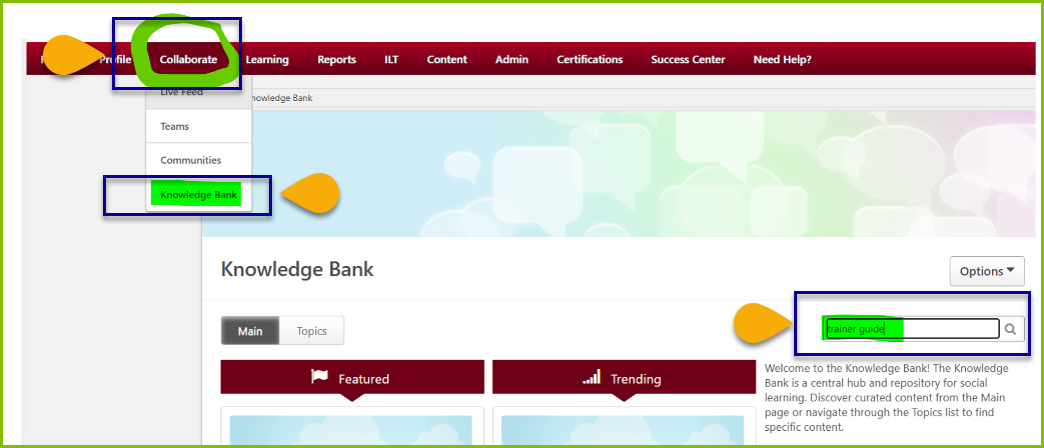
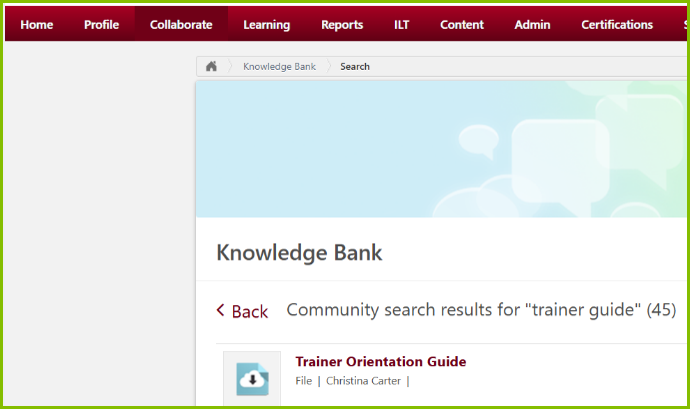
The guide can be found in CAPS LMS by navigating to Collaborate, hover to see the drop-down list, click Knowledge Base. In the search bar to the right, type in ‘trainer guide’ and press enter on your keyboard. On the next page, click Trainer Orientation Guide.
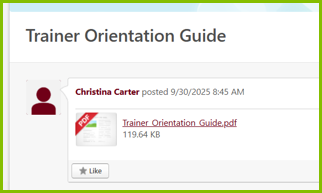
Then on the following screen, click the hyper link for Trainer Orientation Guide.
The next pop-up will direct you to a self-directed course. Once in the training, you can scroll through the table of contents to the lesson you wish to take.
Should you have any questions or require additional assistance, please let us know.