| Support Category: ILT | Reschedule, VILT | Reschedule (select applicable) |
| Specialist Notes: |
| Canned Response Code: /ODJFS06 |
| Standard Response: |
To reschedule your training, please do the following:
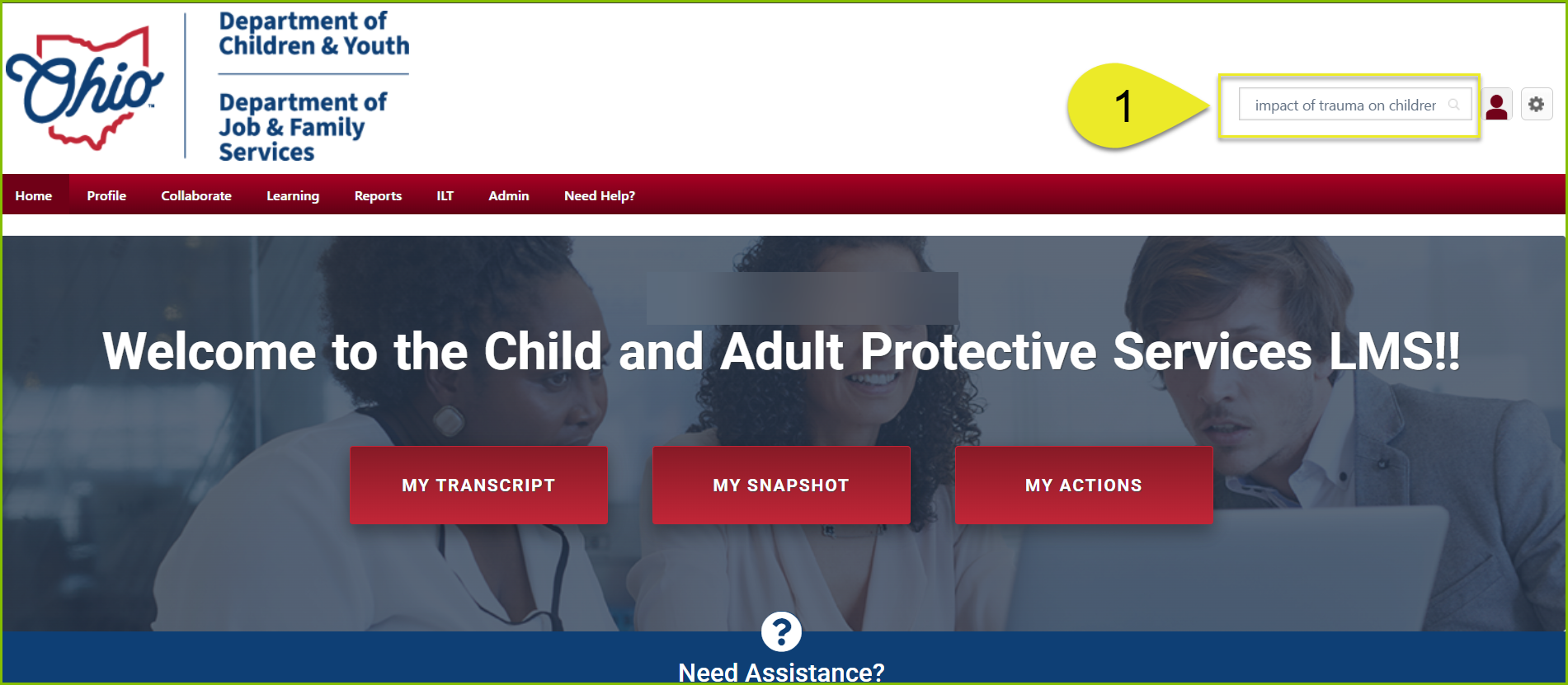
1. In the search bar to the top-right, enter the name of the course you are trying to reschedule.
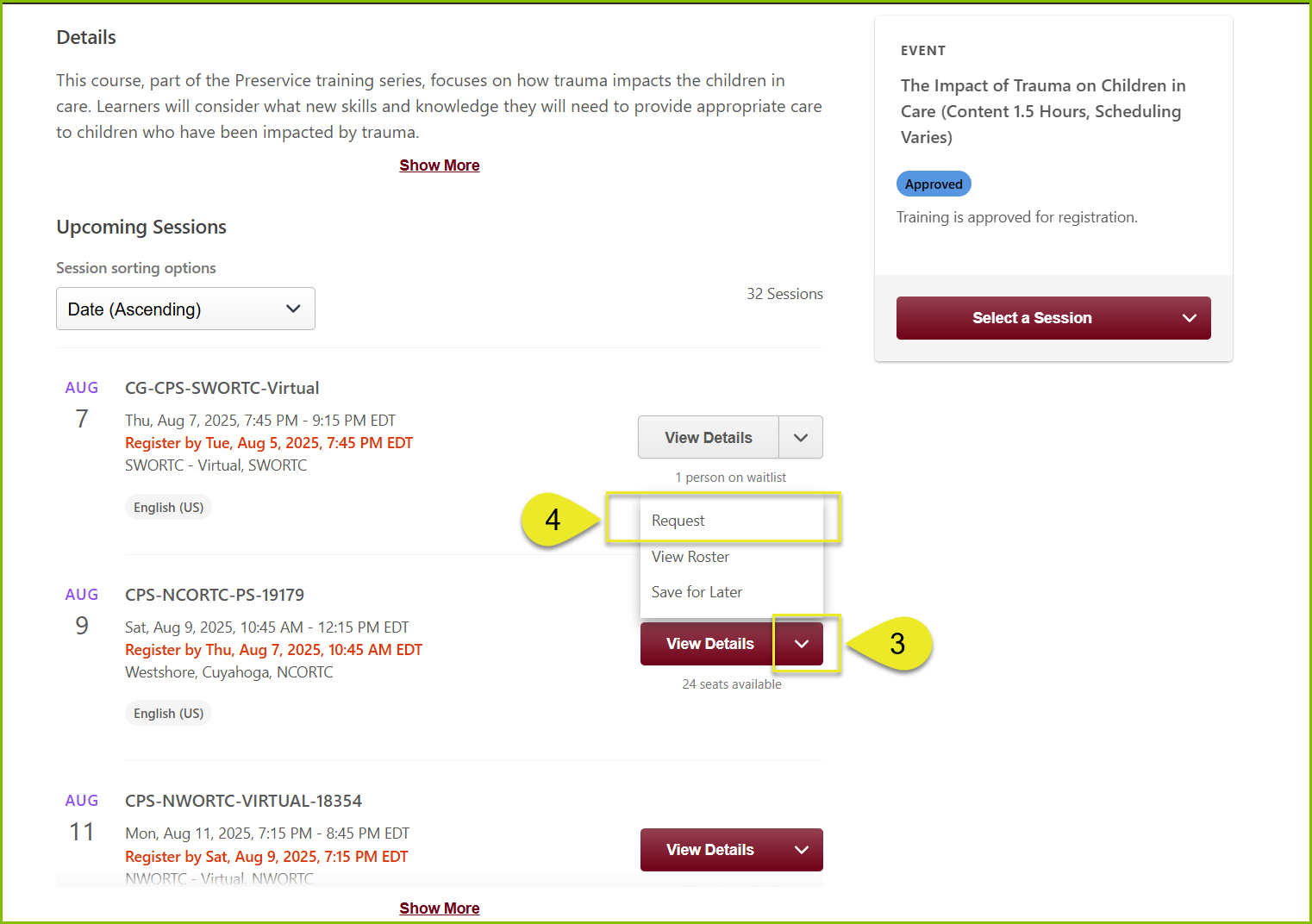
2. Click the ‘Select Session’ button to view available offerings.
3. From the list of offerings, click on the downward arrow next the “View Details” button for the session you wish to enroll in.
4. From the menu that appears, select “Request”.
Kindly note that if you are still registered or waitlisted for another session of the training you are trying to reschedule, you will be unable to select a new session. To resolve this, you will have to be listed as “Withdrawn” from the session you are currently enrolled in.