| Support Category: ILT | Reschedule, VILT | Reschedule (select applicable) |
| Specialist Notes: |
There is currently a bug with the Cornerstone Curricula Player, which prevents users from rescheduling their sessions if their status is listed as “No Show” or “Withdrawn”. Below is what the user sees when they try to reschedule:
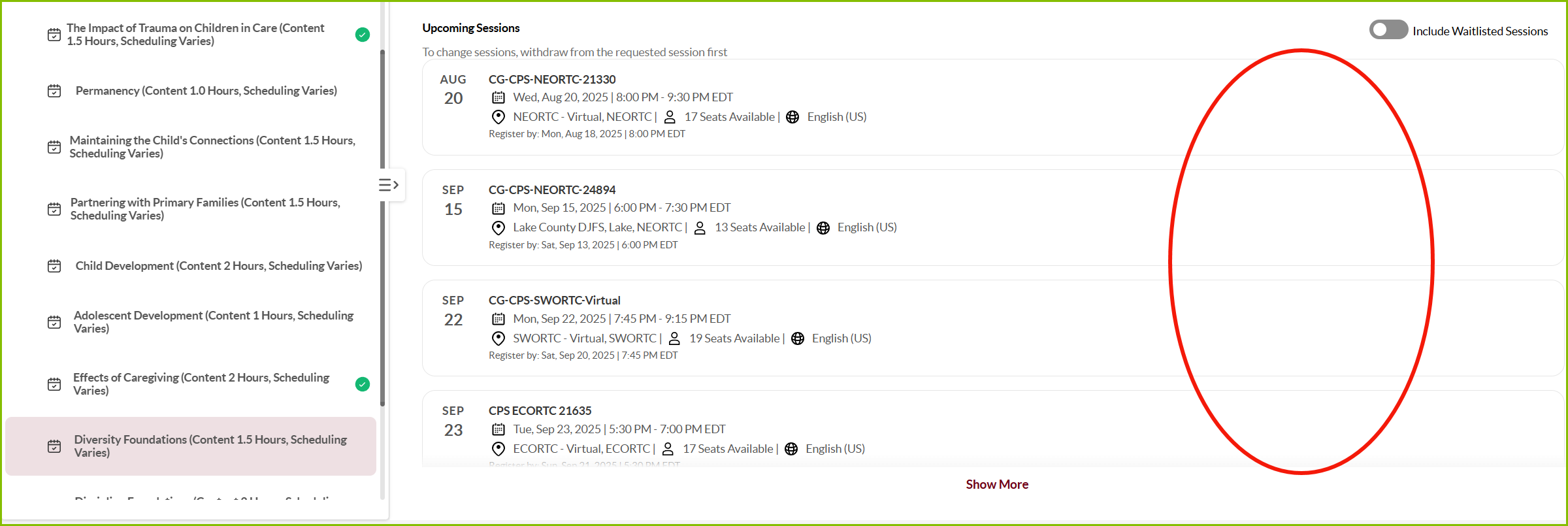
A workaround to this is to have users select a session from the “View Details” page of the course.
IMPORTANT! Only use this SR should a user states they are unable to reschedule a training with a status of “No Show” or “Withdrawn”.Should a user’s status show as “Registered”, kindly use the ILT/VILT | Unable to Reschedule SR. |
HOW SHOULD WE ASSIST?
|
| Canned Response Code: /ODJFS07 |
| Standard Response: |
We sincerely apologize for the issues you are experiencing with rescheduling your training. Below is a workaround for rescheduling your training.
1. Next to the curricula title, click on the downward arrow (▼) to the right of the Open Curriculum button.
2. From the drop-down menu, select “View Training Details”.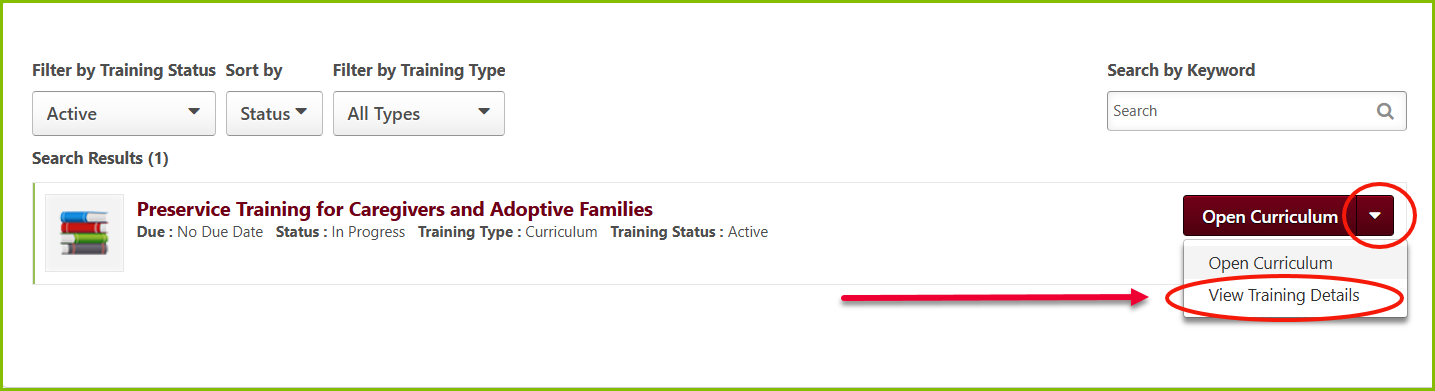
3. Once on the following page, find the course title and choose the desired session by clicking “Select Session”.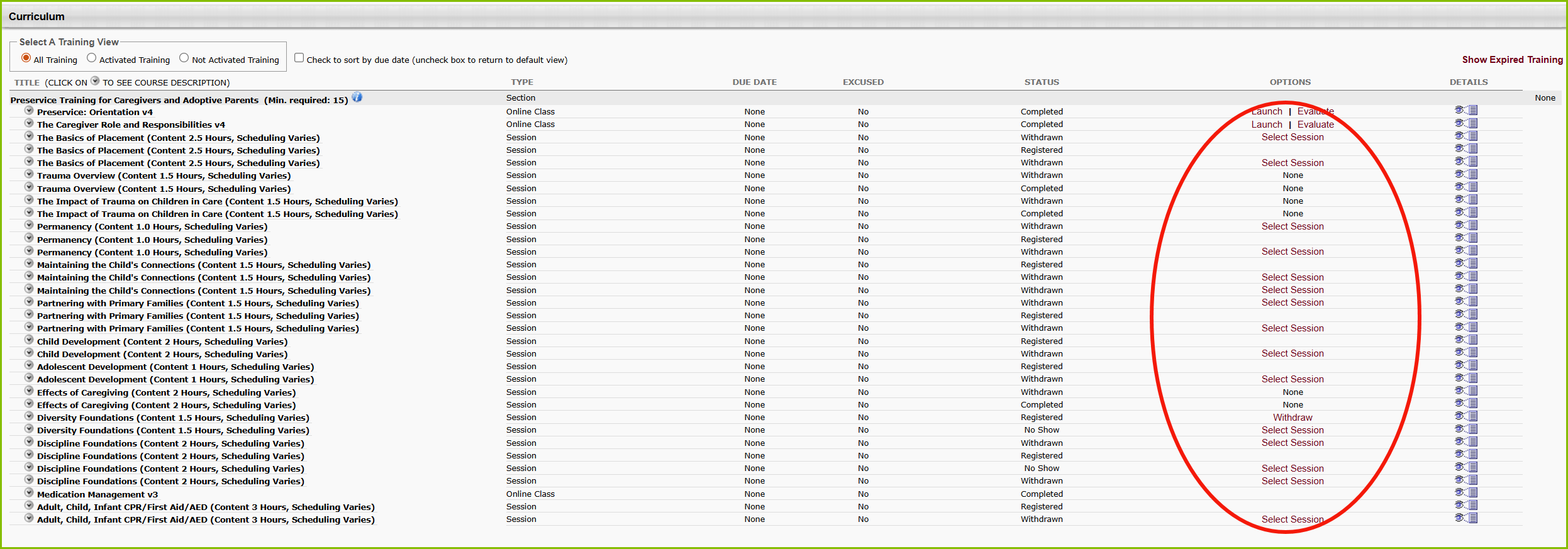
Should you have any questions, please let us know.