| Support Category: Course Progress Issue | Navigation |
| Specialist Notes: |
Note that users need to navigate to the CAPS LMS or click anywhere in the LMS to ensure their progress is being saved and not getting timed out.
| Standard Response: |
Please note that the time-out feature in CAPS LMS is a system-wide feature. Users are logged out after 15 minutes of inactivity for security reasons.
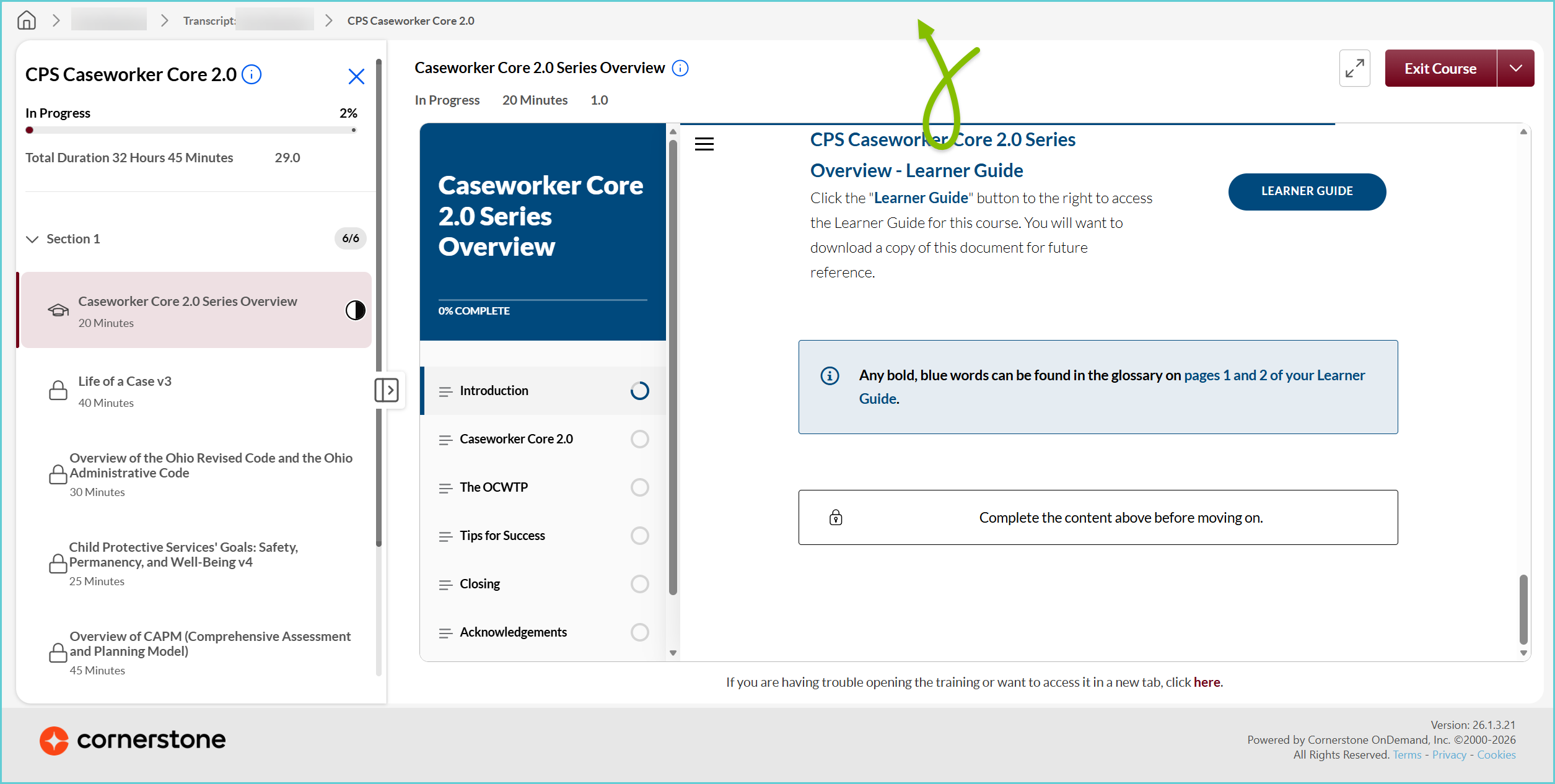
To prevent the time-out, it is recommended you periodically move from the course back to CAPS LMS. Assuming that the course is opening in the same tab as the CAPS LMS page we recommend clicking anywhere outside of the video tab, such as the space above the video as shown in the screenshot.
To prevent the time-out, it is recommended you periodically move from the course back to CAPS LMS. Assuming that the course is opening in the same tab as the CAPS LMS page we recommend clicking anywhere outside of the video tab, such as the space above the video as shown in the screenshot.