| Support Category: Certificate Inquiry |
| Specialist Notes: |
Should a user state their certificate is missing details, kindly provide them with the below SR. This will guide the user to a certificate with the necessary information.
| Standard Response: |
To find the certificate, please follow these steps:
1. Navigate to your Transcript
2. Locate your curriculum
3. Use the drop-down arrow beside Open Curriculum
4. Click on View Training Details 
5. Scroll down to the completed session within the curriculum (the training you want a certificate for) and then click on the 'Details' icon to the far right; it looks like an eye with a document. 
6. Scroll towards the bottom of the page to 'Training Progress Details', and there’s a section for the certificate
7. Click on 'Print Certificate'.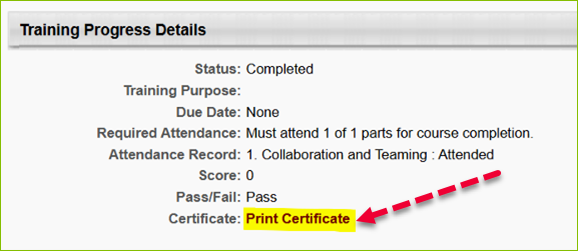
8. The certificate will open in a new window, where it can be saved/printed. The certificate will include details such as the completion date, time, and training hours.